Initially, computer scientists manually entered binary code (ones and zeroes that basically mean yes or no) into the computer with a keypad. Soon after, when scientists noticed they were using the same sets of code often, the punch card was born. The punch hard had sets of dots and for each dot it could be punched out or left filled to tell the computer “yes” or “no”. In the fifties high-level programming was invented which converted code that the scientist could easily write into binary code. Today, high-level programming is a necessity and it allows people of all ages to run code that would seem impossible for us to dream of being able to run on a computer. With this rise of technology of computers and programming languages, the way we code has also significantly changed.
When I code in class at UL Lafayette, I have my fifteen inch (this is important, not bragging) Macbook Pro that I use to write code as the professor is teaching. I have a very similar setup most of the time. When I head to a local coffee shop, I can use my MacBook to write and run all of my code with no flaws to what I’m doing. In fact, it’s a huge pain to take tests in computer science at UL Lafayette, all of our code must be written with paper and pencil. Not only is this something that most computer science majors don’t touch very often, the actual programming experience is slowed down and inhibited.
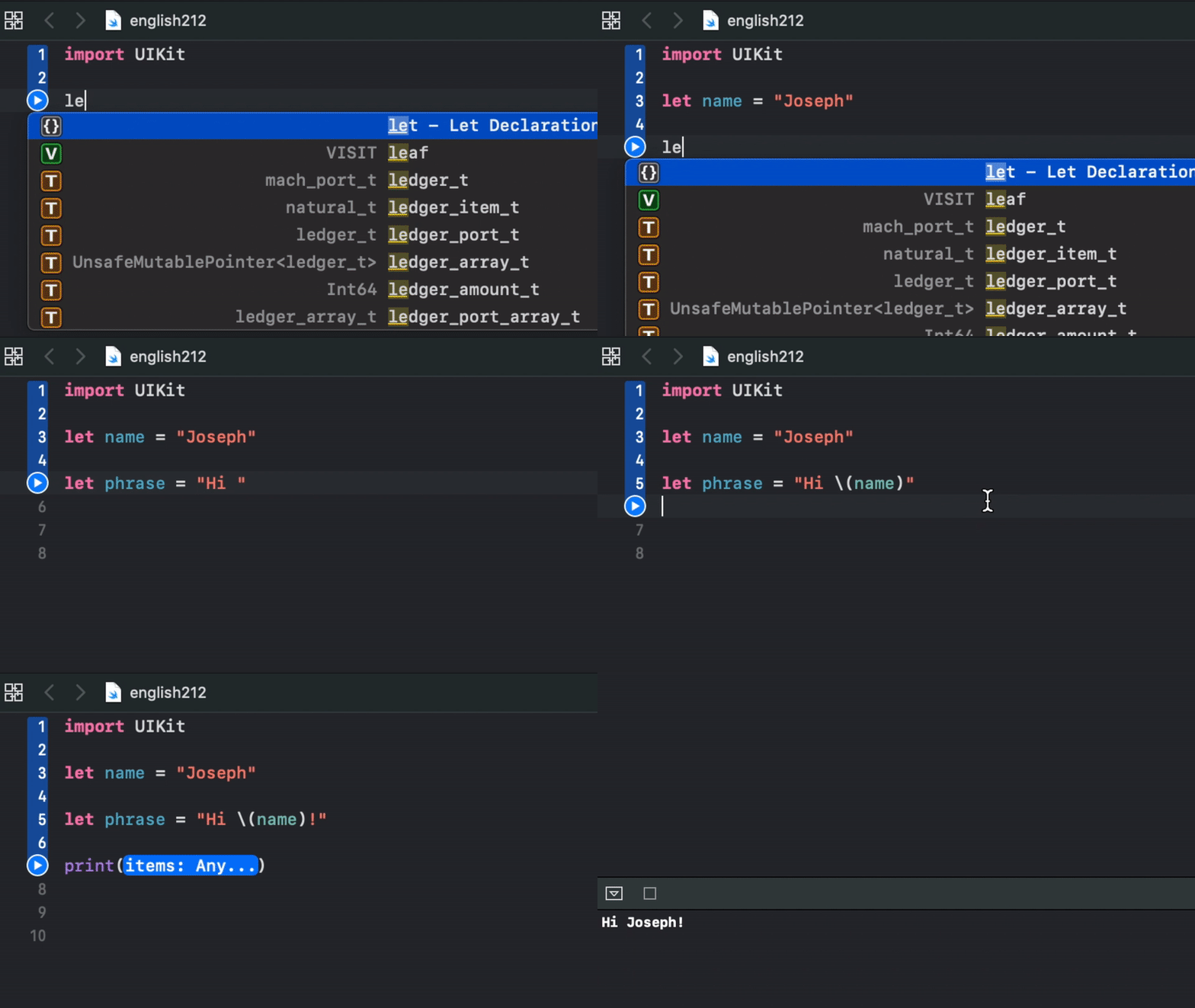
Most simple mistakes that would be automatically fixed when writing code on a computer are simply not fixed on paper.
Although you might think of this as a spell check for computer science, it’s more difficult for us since we might use 3 to 4 different languages on any given day. This means that taking a test in computer science class can mean having to switch off natural instincts to do certain things. Imagine if you spoke english, had a Spanish test that morning, a French Quiz, were working on learning Italian in your free time and had Portugese homework due that night. Obviously you’d begin making simple mistakes because they are all romance languages with similar roots.
Although I hate programming on paper, I love getting to code at home. Not only is the environment around me suited for me, the hardware is set up differently than just one fifteen inch monitor (and the coffee is free🙌). When it comes to working on any job on a computer, generally, the more screen real estate, the better. More space on the screen means more space to view things without having to move your mouse. This correlation though, is easily broken. If real estate is wasted then you cannot add it in to the amount of screen you use. This is why I have a second monitor at a 90 degree angle. Not only does my monitor give me more space to work, but since it is tall, I can fit more code on it.
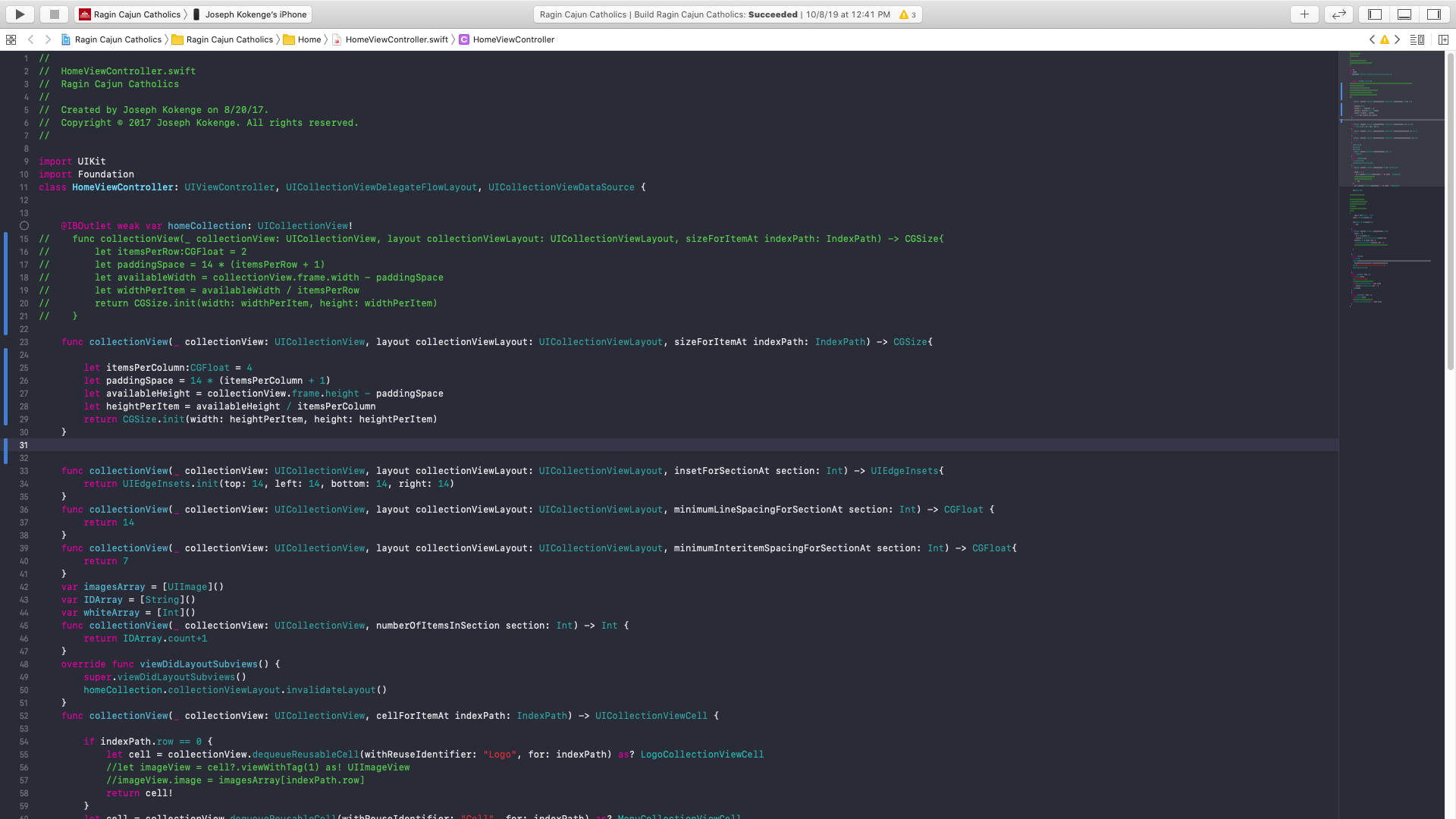
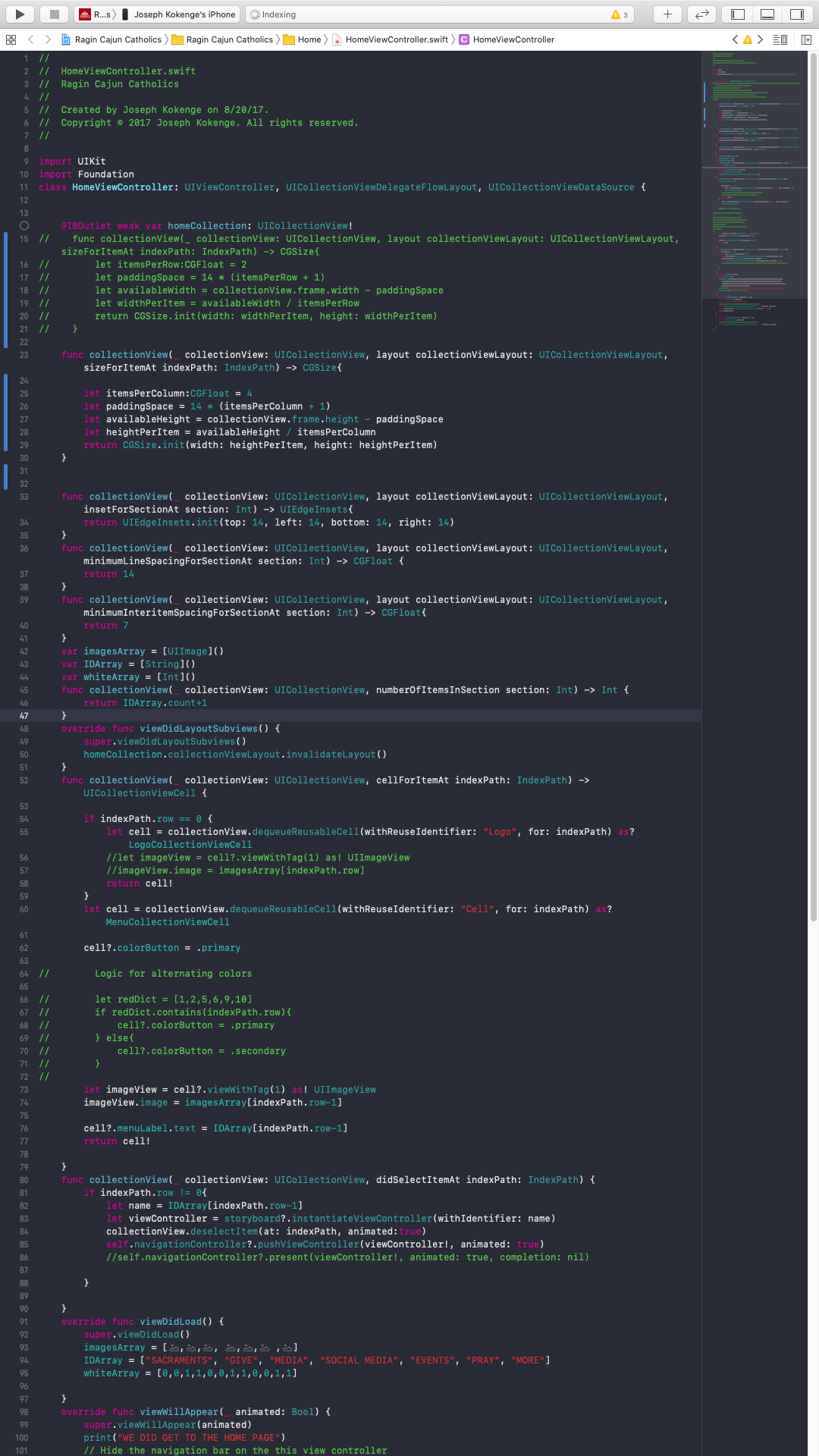
Both of these screenshots are of the same codebase with the same monitor, and the same font size. With the normal screen, I can see 59 lines, on the vertical, 101 lines of code. You can see when viewing it horizontally, the right of the screen is almost always wasted.
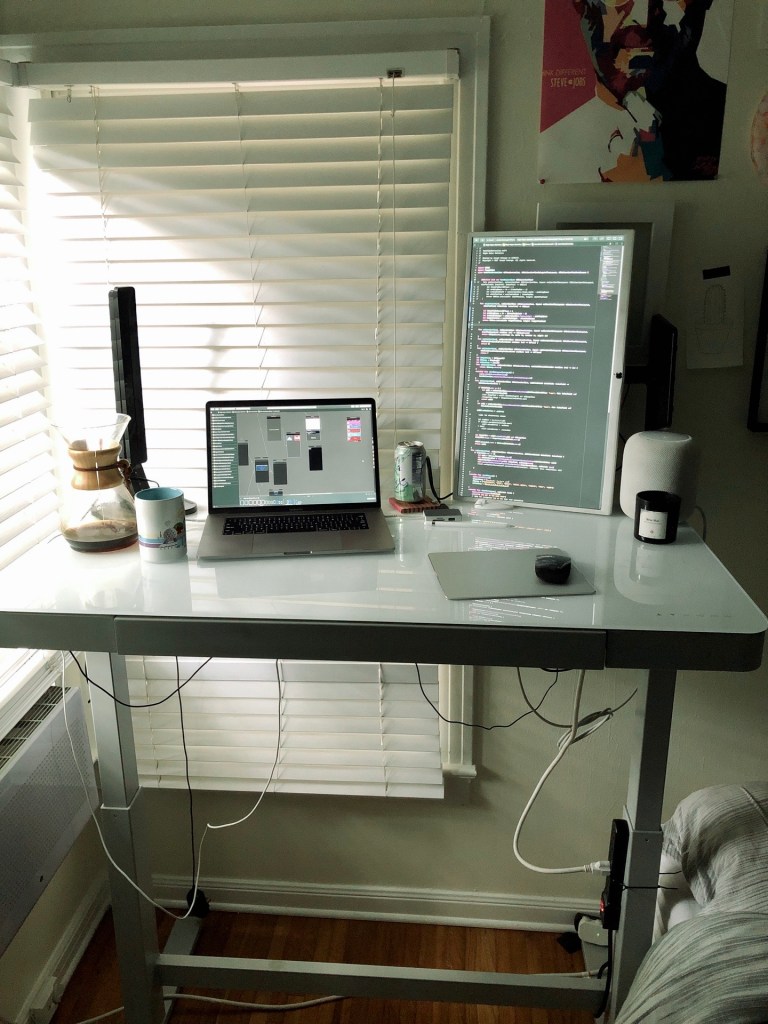
The benefit of coding at home with this monitor does not stop with the amount of code I can fit on a vertical screen. It’s also great to be able to have a visual of how my code will look when it is run, next to the actual code. You will also notice the standing desk that increases my productivity and keeps me awake, but I also can lower it to prevent my legs from giving out.
Technology enhancements have certainly improved my code writing experience and have made me a more efficient computer scientist. In the future as I work for a company that can afford bigger and better technology, I cannot wait to see my programming skills will progress. Along with my own benefit, I am excited to see where the future takes us, as programming becomes a bigger part of all our lives, even for those of us without a degree.
 Literature & the Internet